
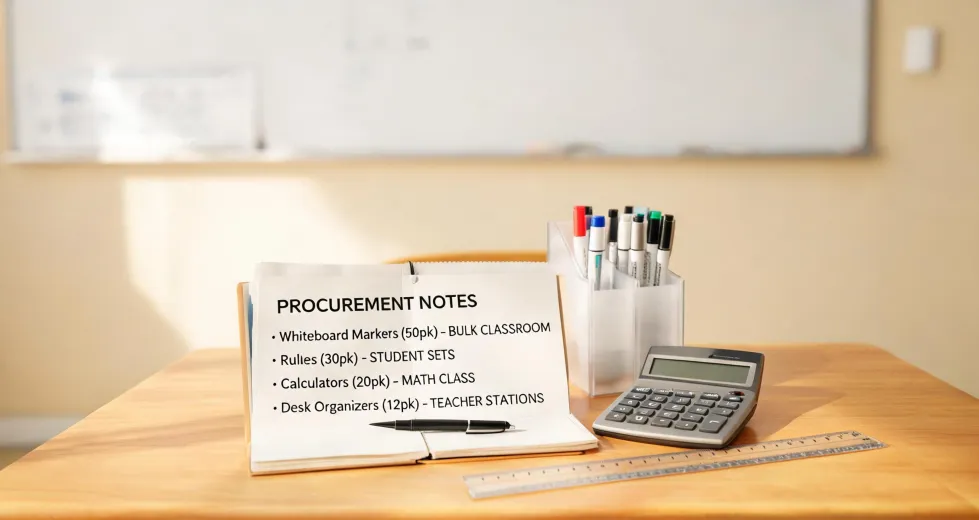
My View: The Best Education Resource Is a Check Before Class
I'm the quality/compliance manager at an educational-supply manufacturer. I review items before they ship, roughly 1,100 unique products a year. Maybe 1,200 during Q3 if you count holiday bundles; I'd have to check the spreadsheet. My job is to catch problems before a teacher or student ever sees them.
I didn't start in quality. Earlier, I spent four years in customer returns, and I learned one pattern: most returned items were not broken. They were not even wrong. They simply didn't match what the catalog promised, and nobody noticed until a box sat open in a real classroom.
So I'll say this plainly: the best education resource isn't the most popular app, the most expensive online course, or the trendiest toy. It is the five-minute verification you run before the lesson begins.
If your search started with best education resources online courses learning, you were probably expecting a list of websites and subscriptions. Here's what those lists usually miss. An online course can explain square roots perfectly, but it cannot press the square-root key on your calculator. A video can demonstrate a pixel-art pattern, but it cannot supply missing color tiles. Digital content ends at the screen. Learning happens when a student touches the object, and that object has to be correct.
Lesson One: Find the Actual Button
I still kick myself for the first time I approved a basic school calculator without looking at the keypad. The marketing sheet called it perfect for elementary math. It had addition, subtraction, multiplication, and division. What it did not have was a square root key. I assumed basic meant all the basics. It didn't.
If you need a square root calculator for a middle school class, don't rely on the product name. Look at the actual keyboard. Find the √ button. Is it a direct button, or only accessible through a shift function? If it isn't there, the calculator cannot do the assigned lesson, and no lesson plan will fix that.
After that mistake, we added a function list to every calculator spec we send. It took our team maybe an hour to update. It saved us from a lot of returns.
Lesson Two: Count the Pieces
Another blind spot is tile and piece counts. A pixel art challenge looks like a toy, but it is actually a coordinate-grid lesson. If the set claims 400 tiles and one color is short, the final image won't resolve. Kids don't always say, I'm missing six tiles. They say the activity is broken or this is boring.
If pixel art challenge learning resources is on your order list, check three things before you open the whole class set: the grid size, the color key, and the actual count. Two minutes of counting a small bag is not overkill. Stopping a lesson because a color ran out is a much bigger interruption.
A related phrase I've learned to hate is within industry standard. Industry standard does not mean the lesson works. It means a vendor met some minimum, usually based on tolerances that have nothing to do with a child's ability to finish a pattern.
Lesson Three: Measurement Begins at Zero
Measurement products hide even simpler problems. A height calculator widget will convert 150 centimeters to 59 inches in a second. That's an answer, not a lesson. The lesson is measuring a real body or object with a real tool, and that tool has to start at the right point.
I have seen tape measures where the metal end tab wiggles just enough to add two millimeters. Two millimeters sounds minor, but in a classroom full of measurement data, it becomes a constant bias. Students end up comparing numbers that are wrong, and the teacher is left explaining why results don't line up. Check the tool against a known ruler once, and you can trust it for the whole unit.
So when you search for a height calculator, use it to convert or check answers, but don't mistake it for hands-on learning. Buy a tape measure that starts at zero and has marks a child can read.
Lesson Four: Comfort Is Not a Separate Category
My role is classroom product compliance, not furniture testing. But when someone asks how to adjust an office chair for comfort, I give the same answer I give for calculators and tile sets: check the settings before you need them.
Chair height, lumbar support, armrest position, seat depth, one adjustment at a time. If you wait until your back hurts, you are in cure mode. The same is true for a child who can't sit still because their feet don't reach the floor. An uncomfortable user is a distracted learner.
Counterargument: You Can't Check Everything
I know what you're thinking. I don't have a quality inspector here. I'm too busy planning the lesson. That's fair. I don't expect a teacher to do a full audit. But open one box. Check one calculator. Count one bag. One representative sample gives you most of the information for almost none of the effort.
And yes, the supplier should have their own verification. That's my entire job. But even with good manufacturers, boxes get swapped, specs get changed on a production line, or a product gets rebranded with a similar item. The five-minute check is insurance against those moments.
Five minutes of verification beats five days of correction.
I learned that from a school that didn't check a 30-pack of calculators and ended up teaching with phone apps while the calculators sat unused in shipping boxes. It wasn't a terrible learning disaster, but it was a wasted order and a disappointing day.
My Bottom Line
I'm not saying online courses are useless. I'm not saying any single brand, including the one I work for, is perfect. I'm saying the resource that connects a lesson to a real student is the physical object, and the resource that connects the object to the lesson is verification.
Use Learning Resources, or any supplier you trust. But don't use them on name alone. Open the box. Find the button. Count the pieces. Measure from zero. Adjust the chair before it hurts. That small act of prevention is the best education resource I know.
The check is what turns a product into a learning resource.