
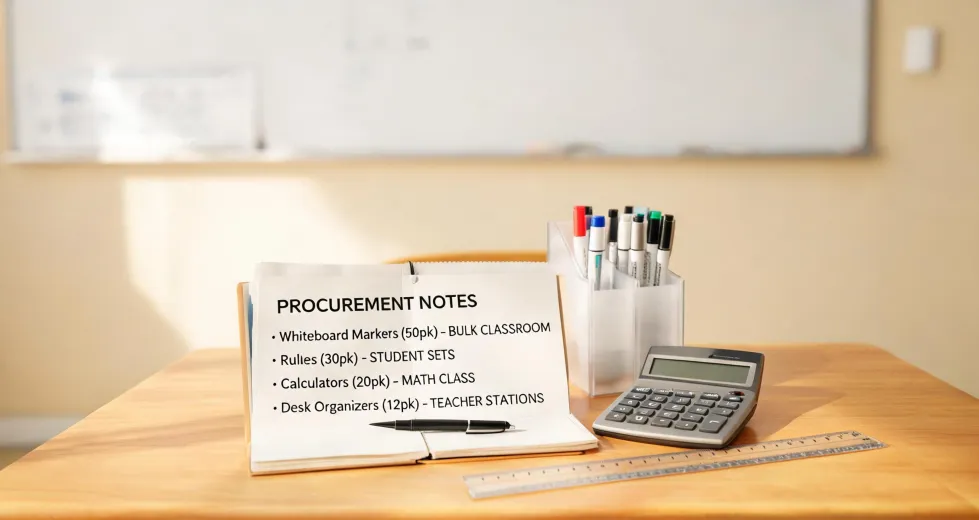
I've been a curriculum coordinator handling math and STEM supply orders at a K-5 school for eight years. In that time, I've personally made—and documented—14 significant purchasing mistakes, totaling roughly $5,000 in wasted budget. Most of those trace back to one flawed belief: real math tools look like calculators.
That belief is exactly how I ended up spending about $1,030 over two years on Texas Instruments calculators before accepting that Learning Resources hands-on fraction tools did the job better—for roughly a third of the price. If you're weighing these two approaches right now, here's the comparison I wish someone had handed me before I placed that first order.
I'll judge them on three dimensions:
- Which one actually builds fraction understanding
- What each route costs over two years, not just at checkout
- What they're like to live with in a real classroom
Dimension 1: What Actually Builds Fraction Understanding?
The TI-15 Explorer from Texas Instruments is a genuinely well-built machine. It handles fractions natively—add, subtract, simplify, convert mixed numbers to improper fractions, even compare values side by side. The two-line display walks students through each step. When I first saw one demonstrated at a conference in November 2021, I was completely sold. This was a real fraction calculator, designed for exactly the grade levels we teach.
So in August 2022, I ordered 30 of them. The purchase order came to about $810. I remember feeling like we were finally upgrading our math program to "real tools."
Here's what happened over the next few months. Kids could operate the calculators just fine. They'd punch in 3/4 + 1/4 and correctly read 1 off the screen. But when I asked a 4th grader to show me why 2/4 equals 1/2, she couldn't. The calculator told them the what. It never touched the why.
Now take Learning Resources Fraction Tower Cubes. If you haven't seen them, they're color-coded plastic bars. One "1" piece is a full bar. The "1/2" pieces? Two cubes that snap together for the same length. "1/4"? Four that match. It's so simple it borders on obvious.
And that's the point. A student holds a 1/2 cube next to two 1/4 cubes and sees the equivalence. They physically snap pieces together and take them apart until the concept is inside their hands, not just on a screen. Common Core standard 3.NF.A.3b requires students to explain why 1/2 = 2/4 using a visual fraction model. The Learning Resources cubes are that model.
I assumed a fraction calculator would make abstract math accessible. Didn't verify. It turned out that, for 3rd and 4th graders, the physical object did what no screen could.
Did the TI-15s get used at all? Yes—by 5th graders who had already mastered the concepts and were ready to speed up their calculations. And that's a far narrower audience than I initially thought the calculators were for.
Verdict: for genuine fraction understanding in grades 3-4, Learning Resources wins. Not even close.
The Two-Year Cost of Each Route
The TI-15 Explorer cost us about $27 per unit through our district-approved vendor in 2022. The 30-unit order: $810. The real killer wasn't the upfront price, though. Calculators in elementary schools leak. Kids lose them, pocket them, or leave them on the school bus.
Within six months, we'd lost 5 and had 3 broken. Replacing those 8 units cost $216. By the end of the second year, I had spent just over $1,030 on a calculator program that served 5th graders well but sat locked in a cart for most of 3rd and 4th grade.
Learning Resources Fraction Tower Cubes run about $20-25 per set. Each set serves a small group of 4-6 students. For our four 4th-grade classrooms, I bought 12 shared sets: roughly $270. Two years later, we've replaced exactly 2 sets that went missing. Another $50. Grand total: $320.
I should be honest about the thought process behind that initial calculator purchase. I went back and forth between the TI order and the Learning Resources order for two weeks. My gut said the cubes would engage students more. But the calculators looked like real math tools, and the cubes looked like toys. I even drafted a budget-committee defense for the calculators—words like "industry-standard" and "college readiness" were in there. Turned out the committee never asked. It was my own bias doing the deciding.
Verdict: Learning Resources cost about a third as much and held up just as well.
What They're Like to Use in Real Classrooms
This is the dimension that doesn't show up on a spec sheet. And honestly, it's the one that matters most.
Calculators demand management. Distribution routine. Collection roster. A designated cart or drawer for storage. A battery and replacement cache. And every spring, a two-week lock-down because calculators aren't allowed during the state assessment. One teacher in our building gave up on them entirely—the five-minute start-of-class distribution ritual kept eating into her lesson time.
Learning Resources manipulatives aren't frictionless—pieces do get mixed into the wrong bins, and someone needs to sort them every week. But there's nothing to charge, nothing to log into, no battery to die at 9:40 a.m. Do a 10-minute sort Friday afternoon, you're ready for Monday. The tool's default state is "ready."
I learned the same lesson with projectors. In 2023 we spent about $3,600 on a digital classroom projector. Three months in, it needed an IT ticket to cast properly. Four months after that, another ticket. By February, the 2nd-grade team had stopped using it.
Meanwhile, a Learning Resources projector—a small, kid-friendly slide projector that's basically a glorified flashlight—got used weekly in the same grade level. Kids loved running it themselves. It cost around $30. No software, no wireless pairing, no IT tickets. Simple won.
Even the mundane stuff looped back to the same truth. When staff laptops updated to Windows 11 in January 2025, half our teachers lost their default printer overnight. If you've been wondering how to set default printer in Windows 11, here it is in one sentence: go to Settings > Bluetooth & devices > Printers & scanners, choose the printer you want, and click "Set as default." Our IT person showed me in ten minutes. Those ten minutes saved us what had been a daily frustration for weeks.
Why does this belong in a comparison of math tools? Because every layer of device complexity carries a hidden tax. Every login, every firmware update, every re-configured setting is time stolen from instruction. A plastic fraction cube will never trigger a printer error.
One more thing: lesson planning. When we finally switched, I found the Learning Resources website genuinely useful. Each product page includes downloadable activity guides aligned to Common Core standards. I expected to write our own fraction curriculum from scratch—turns out they'd already done much of the groundwork. That's the kind of ongoing support you don't get from a calculator vendor.
Verdict: Learning Resources wins on everyday usability too.
So... What Should You Actually Buy?
You don't have to pick one brand forever. The right call depends on grade level:
Grades K-2. Buy Learning Resources manipulatives. Don't even think about calculators. Young kids need to see, touch, and build. A fraction calculator is not age-appropriate.
Grades 3-4. Learning Resources first. Build the conceptual foundation before any device touches this topic. Once students understand equivalence and can explain why 1/2 = 2/4, then bring the TI-15 Explorer—or any fraction calculator—as a speed tool, not a teaching tool.
Grade 5 and up. This is where Texas Instruments earns its place. Students who already understand the concepts can use calculators to explore patterns and handle larger operations efficiently. And they'll need calculator fluency before middle school. I still keep our class sets of TI-15s active at this level today.
On a tight budget? Buy the manipulatives. One set of Fraction Tower Cubes costs about the same as one TI-15 Explorer, and a teacher will spread that one set across an entire week of lessons. In eight years, I have never—not once—heard a teacher say, "I planned my whole fraction unit around a calculator."
One caveat before you go: this worked for us because we're a mid-size K-5 with stable staffing and storage space. If you're a district administrator making purchasing guidelines for thirty schools with different staff turnovers, the math might come out differently. Pilot a small purchase in your own building before you commit.
The biggest lesson from my $1,030 mistake: the best tool is the one that actually gets used. A calculator that sits locked in a cart teaches no one. A plastic cube that a kid snaps onto another cube—and finally understands why 1/2 equals 2/4—teaches everything.
I keep a two-question checklist on my office wall now. Every classroom supply order has to pass both before it goes to the vendor:
- Will a teacher use this without a manual?
- Will a kid understand this with their hands as well as their eyes?
Run your next purchase through those two questions and you'll avoid the most expensive mistake I've made in this job. Take it from someone who bought the "real" math tools and got real mediocre results.